Chapter 2: Database Management System
How we store, organise and retrieve information: from a school register to MySQL and SQL queries, with real Nepali examples.
1 Introduction
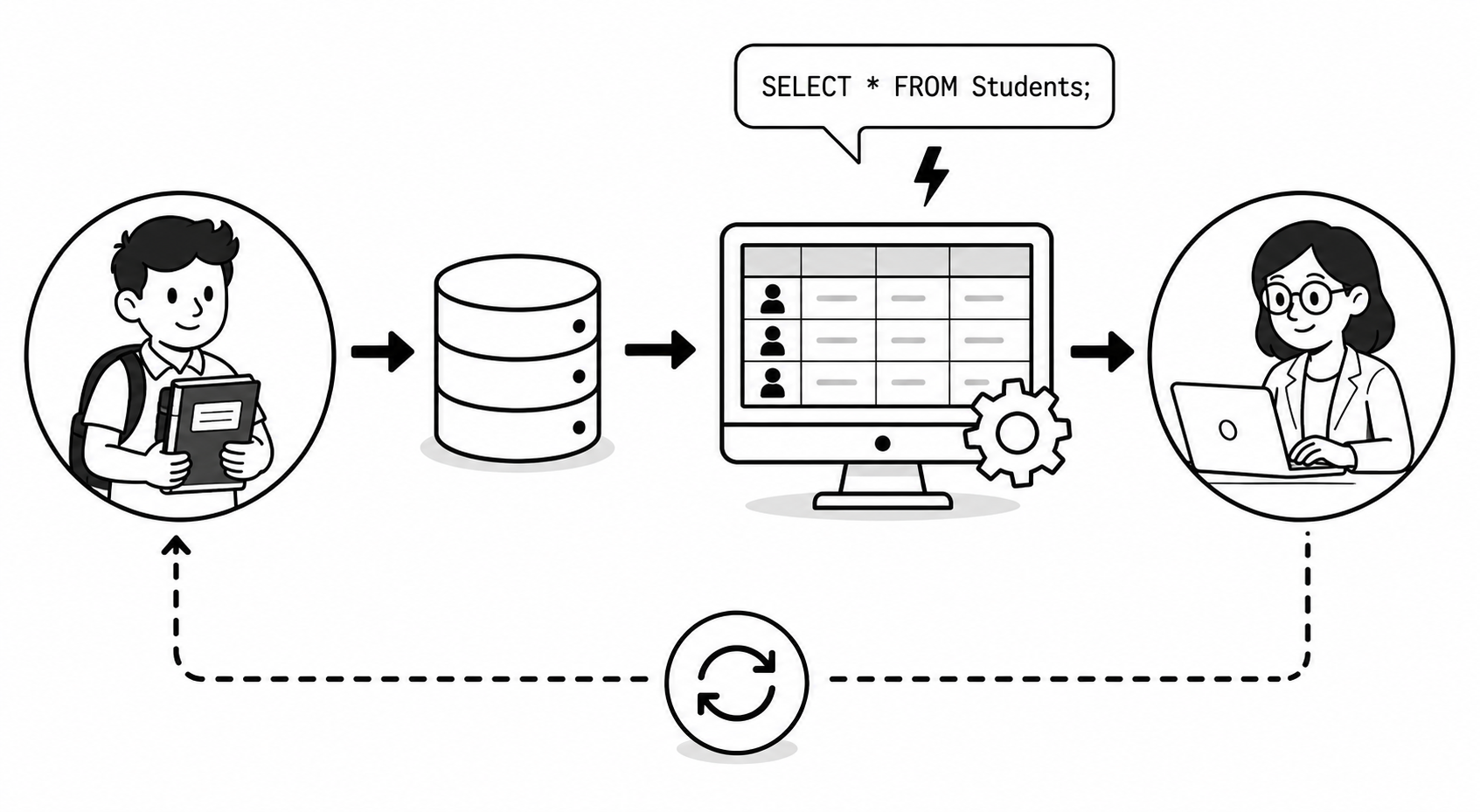
Every day around us, huge amounts of information are stored and used. When you go to Nabil Bank to withdraw money, when your school keeps the marks of every student, when Daraz shows your past orders, or when Nepal Telecom stores the numbers of millions of customers: all of this is possible because of databases.
A Database Management System (DBMS) is special software that helps us store this information in an organised way and get it back quickly whenever we need it. In this chapter we will learn what data is, how it becomes information, what a database and DBMS are, and how to actually create and use a database with MySQL and SQL commands.
2 Importance of Database
A database is important because it lets organisations keep large amounts of data safe, organised and easy to use. Without databases, modern banks, hospitals, schools and online shops could not work.
Fast Access
Find any record in seconds, e.g. a patient's report at Bir Hospital.
Organised Storage
Data is stored neatly in tables instead of scattered papers.
Security
Only authorised staff can see sensitive data like bank balances.
No Repetition
The same customer's details are not written again and again.
Easy Reports
Generate marksheets, bills and summaries automatically.
Sharing
Many users can use the same data at the same time.
3 Data
Data by itself does not tell us much. For example, the values 85, Sita, Kathmandu are just raw facts: we do not yet know what they mean.
4 Data Processing
The basic cycle is: Input → Process → Output.
| Stage | What happens | School example |
|---|---|---|
| Input | Raw data is entered | Marks of each student in every subject are typed in. |
| Process | Data is calculated/sorted | Total and percentage are calculated; rank is sorted. |
| Output | Meaningful result is produced | A printed marksheet showing result and division. |
5 Information
When raw data is processed, it becomes information that we can understand and act upon.
"Sita", 85, 92, 78 becomes information when processed: "Sita scored 255 marks, 85%, securing 1st position in Class 10." Now it is useful.
| Data | Information |
|---|---|
| Raw, unorganised facts | Processed, organised, meaningful |
| No clear meaning alone | Helps in decision making |
| Example: 85, 92, 78 | Example: Average mark = 85, Distinction |
6 Database
Think of a database as a digital filing cabinet. Inside it, related data is kept in tables (like separate drawers). For example, a school database may contain a Students table, a Teachers table and a Marks table: all related to the same school.
7 Database Management System (DBMS)
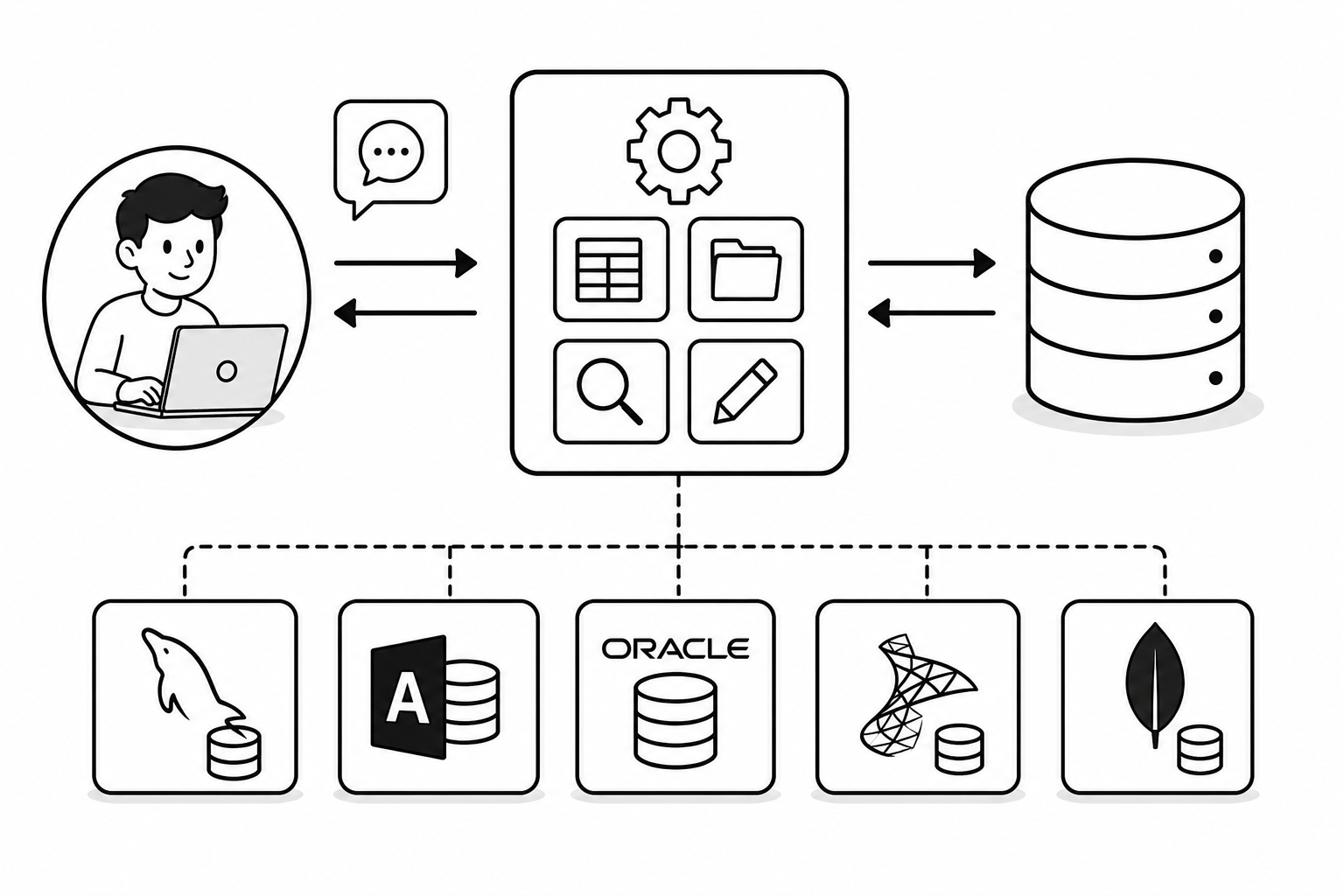
The DBMS sits between the user and the database. The user gives simple commands (like "show all students of Class 10") and the DBMS takes care of finding and returning the data.
Popular DBMS software
- MySQL: free, open-source, very popular for websites.
- Microsoft Access: easy, used in schools and small offices.
- Oracle: used by big banks and companies.
- Microsoft SQL Server, PostgreSQL, MongoDB: other widely used systems.
8 Features of DBMS
Data Storage
Stores large amounts of data in an organised manner.
Data Retrieval
Quickly searches and returns required data using queries.
Security
Provides usernames, passwords and permissions.
Multi-User
Many users can access data at the same time.
Backup & Recovery
Automatically backs up and recovers data after failure.
Data Integrity
Keeps data accurate and consistent using rules.
9 Advantages of DBMS
- Controls data redundancy: the same data is not repeated, saving space.
- Data consistency: when data is updated in one place, it stays correct everywhere.
- Data sharing: many users and programs can share the same data.
- Better security: access can be limited to authorised users only.
- Fast access: data is found quickly using queries.
- Backup and recovery: protects data from loss.
- Easy reports: marksheets, bills and summaries are generated automatically.
10 Disadvantages of DBMS
- High cost: good DBMS software and hardware can be expensive.
- Complex: it is difficult to design and manage large databases.
- Needs trained staff: a database administrator (DBA) is required.
- Risk of failure: if the system crashes, many users are affected.
- Security risk: if hacked, a lot of data can be stolen at once.
11 Types of DBMS
DBMS are classified according to how they organise data.
| Type | How data is organised | Example |
|---|---|---|
| Hierarchical DBMS | Data in a tree (parent–child) structure | IBM IMS |
| Network DBMS | Data connected like a network (many links) | IDMS |
| Relational DBMS (RDBMS) | Data in tables (rows & columns) | MySQL, Oracle |
| Object-Oriented DBMS | Data stored as objects | db4o, ObjectDB |
12 Relational DBMS (RDBMS)
It was based on the relational model proposed by E. F. Codd. Each table holds data about one subject (e.g. students), and tables can be linked together. Examples: MySQL, Oracle, SQL Server, PostgreSQL, MS Access.
13 Difference Between DBMS and RDBMS
| DBMS | RDBMS |
|---|---|
| Stores data as files | Stores data in tables (rows & columns) |
| No relationship between data | Tables can be related using keys |
| Handles small amounts of data | Handles large amounts of data |
| Usually single user | Supports many users at once |
| Less security | More security and data integrity |
| Example: dBase, FoxPro, XML file storage | Example: MySQL, Oracle, SQL Server |
14 Data Types
Choosing the right data type is important. A phone number, a name, a price and a date of birth all need different data types. The main groups are String, Numeric, and Date & Time.
9805832889 is stored as VARCHAR, not INT: we never calculate with it, and numbers starting with 0 would lose the 0 if stored as INT.
15 String Data Types
String data types store text (letters, words, sentences).
| Data Type | Use | Example value |
|---|---|---|
| CHAR(size) | Fixed-length text. Always uses the given size. | Country code "NP" |
| VARCHAR(size) | Variable-length text. Uses only the space needed (most common). | Name "Sita Sharma" |
| TEXT | Larger text such as a paragraph (up to 65,535 characters). | Student remarks / address |
| LONGTEXT | Very large text (up to 4 GB). | A full article or notice |
VARCHAR for names and addresses because they vary in length. Use CHAR only when length is fixed, like a 2-letter code.16 Numeric Data Types
Numeric data types store numbers used for counting and calculation.
| Data Type | Use | Example value |
|---|---|---|
| INT | Whole numbers | Roll number 25 |
| SMALLINT | Small whole numbers (limited range) | Age 16 |
| BIGINT | Very large whole numbers | Citizenship / account no. |
| DECIMAL(p,s) | Exact numbers with decimals (best for money) | Price 1250.50 |
| FLOAT | Approximate decimal numbers | Percentage 84.75 |
DECIMAL for rupees and prices so rounding errors do not happen.17 Date and Time Data Types
| Data Type | Stores | Format / Example |
|---|---|---|
| DATE | A date only | 2026-05-29 (YYYY-MM-DD) |
| TIME | A time only | 14:30:00 |
| DATETIME | Date and time together | 2026-05-29 14:30:00 |
| YEAR | A year only | 2026 |
DATE, while an eSewa transaction time uses DATETIME.18 Field
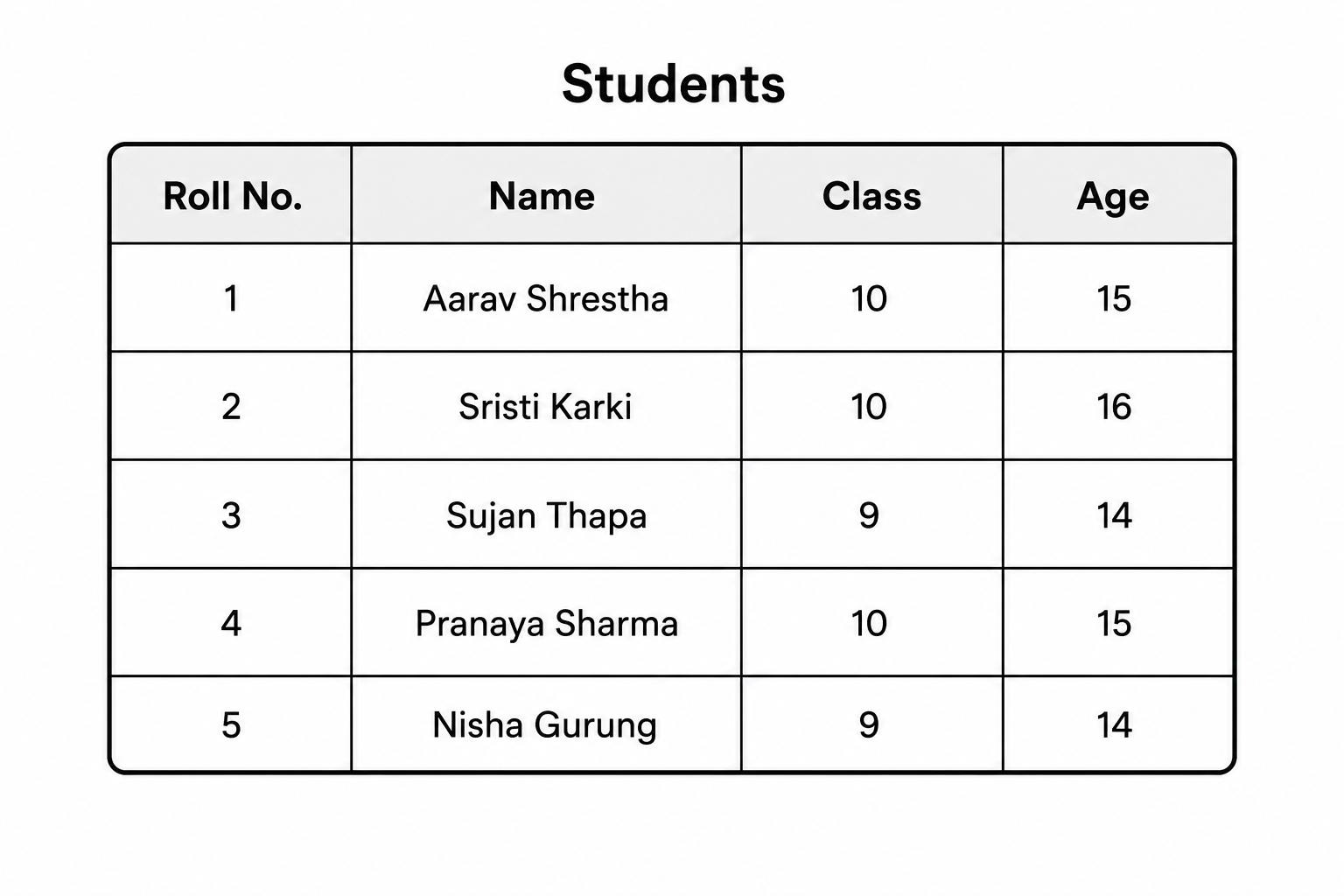
In a Students table, each piece of information is a field: Roll_No, Name, Class, Address, Phone. Every field stores one type of data.
19 Record (Row / Tuple)
One full row about a single student is one record.
| Roll_No | Name | Class | Address |
|---|---|---|---|
| 1 | Sita Sharma | 10 | Lalitpur |
| 2 | Ram Thapa | 10 | Bhaktapur |
20 Table
A table has a name (e.g. Students), columns (fields) and rows (records). One database can contain many tables.
21 Database System
Main components
- Hardware: computers, servers, storage where the database runs.
- Software: the DBMS (e.g. MySQL) and operating system.
- Data: the actual information stored in tables.
- Users: database administrator, programmers and end users.
- Procedures: the rules and instructions for using the system.
22 Keys
Without a key, two students with the same name "Ram Thapa" could be confused. A key (like Roll Number) makes each record unique and easy to find.
23 Types of Keys
Primary Key
A field that uniquely identifies each record. It cannot be empty (NULL) or repeated. Example: Roll_No in Students.
Foreign Key
A field that links one table to the primary key of another table. Example: Roll_No in the Marks table linking to Students.
Composite Key
A key made of two or more fields together, used when one field alone cannot be unique. Example: Roll_No + Subject.
Candidate Key
Any field that could become the primary key because it is unique. Example: both Roll_No and Symbol_No are candidates.
Alternate Key
A candidate key that was not chosen as the primary key. Example: if Roll_No is primary, Symbol_No is the alternate key.
24 Relationships
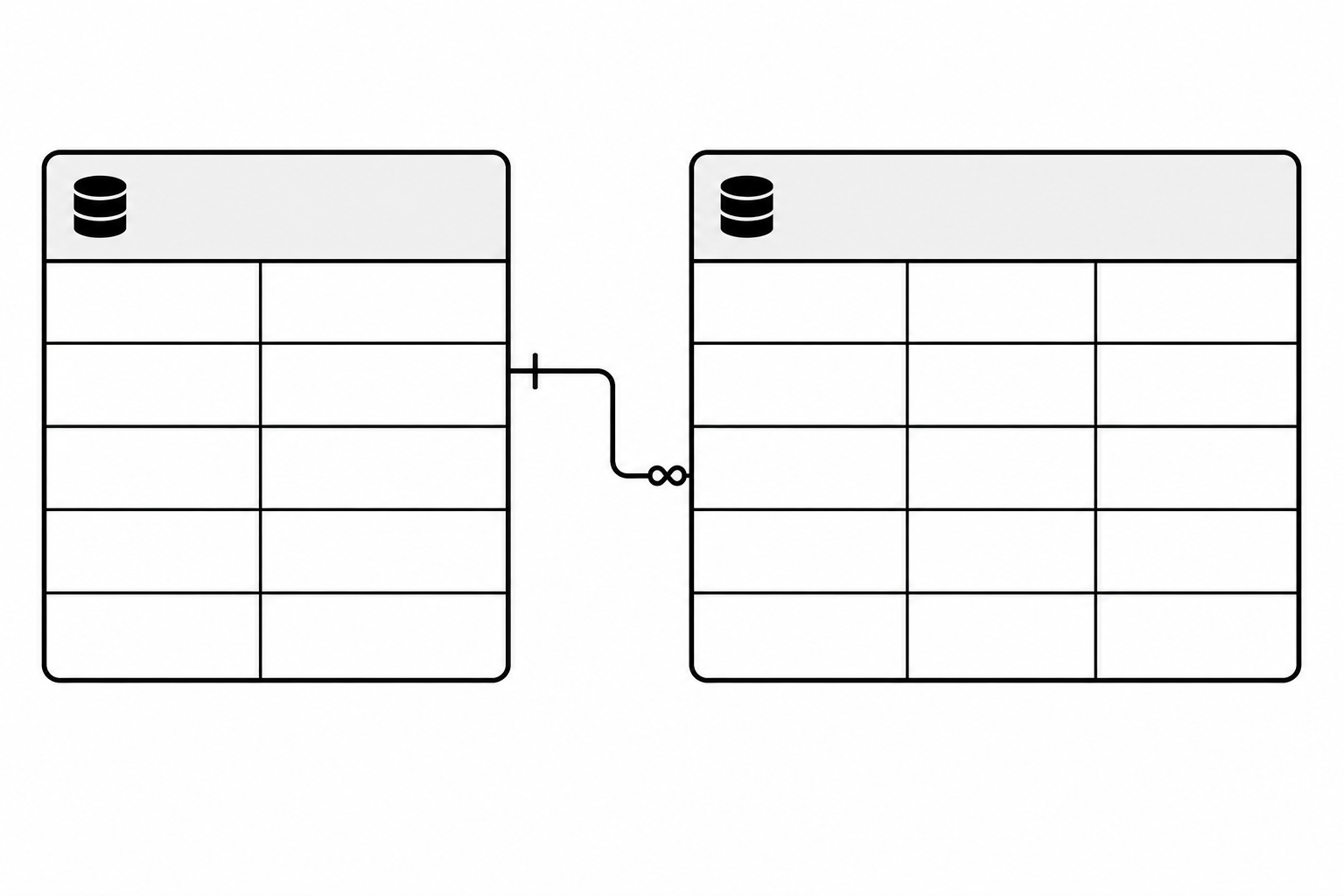
A relationship shows how records in one table are connected to records in another table.
| Relationship | Meaning | Nepali example |
|---|---|---|
| One to One (1:1) | One record links to exactly one record | One citizen has one citizenship number. |
| One to Many (1:M) | One record links to many records | One class has many students. |
| Many to One (M:1) | Many records link to one record | Many students belong to one school. |
| Many to Many (M:M) | Many records link to many records | Many students study many subjects. |
25 Introduction to MySQL
MySQL is one of the most popular databases in the world. It is used by websites and apps like Facebook and YouTube, and by many Nepali companies for their software. It is free, fast and works on Windows, Linux and macOS.
26 Features of MySQL
Free & Open Source
Anyone can download and use it without cost.
Fast & Reliable
Handles large data quickly with high performance.
Cross-Platform
Runs on Windows, Linux and macOS.
Secure
Supports passwords and user permissions.
Multi-User
Many users can work at the same time.
Web Friendly
Works perfectly with PHP for websites.
27 Installing MySQL
The easiest way for students is to install XAMPP, which includes MySQL, or to install MySQL Community Server with MySQL Workbench.
Simple steps (using XAMPP)
- Go to
apachefriends.organd download XAMPP for Windows. - Run the installer and click Next until finished.
- Open the XAMPP Control Panel.
- Click Start next to Apache and MySQL.
- Open a browser and go to
http://localhost/phpmyadmin. - Now you can create databases and run SQL queries.
28 Query (Select, Update, Delete)
We will use a sample Students table for the examples below.
Select Query
Used to view / fetch data from a table.
Update Query
Used to change / edit existing data.
Delete Query
Used to remove records from a table.
WHERE with UPDATE and DELETE. Without it, all records get changed or deleted!29 SQL and its Features
Features of SQL
- Simple, English-like commands (SELECT, INSERT, UPDATE).
- Works with almost all RDBMS (MySQL, Oracle, SQL Server).
- Can create databases, tables and define rules.
- Can insert, update, delete and fetch data.
- Can control security and user permissions.
30 DDL Commands
| Command | Use |
|---|---|
| CREATE | Creates a database or table |
| ALTER | Adds, changes or deletes a column |
| DROP | Deletes a whole table or database |
| TRUNCATE | Removes all records but keeps the empty table |
31 DML Commands
INSERT: add new records
SELECT, WHERE, LIKE, ORDER BY
UPDATE and DELETE
% means "any number of characters" and _ means "exactly one character". So '_a%' means the second letter is 'a'.32 SQL Constraints
| Constraint | Meaning | Example |
|---|---|---|
| NOT NULL | Field cannot be left empty | Name must be entered. |
| UNIQUE | No two rows can have the same value | Email or phone must be unique. |
| CHECK | Value must satisfy a condition | Age must be > 0. |
| DEFAULT | A default value if none is given | Country defaults to 'Nepal'. |
33 Primary Key
A table can have only one primary key. It is the most important key because every other table connects to it.
34 Operators Supported by SQL
An operator is a symbol or keyword used to perform an operation on values. SQL supports four main groups: Arithmetic, Relational/Comparison, Logical and Special operators.
35 Arithmetic Operator
Used to perform calculations on numeric data.
| Operator | Meaning | Example |
|---|---|---|
| + | Addition | Marks1 + Marks2 |
| - | Subtraction | Price - Discount |
| * | Multiplication | Qty * Rate |
| / | Division | Total / 5 |
| % | Modulus (remainder) | Roll_No % 2 |
36 Relational / Comparison Operator
Used to compare two values; the result is true or false.
| Operator | Meaning | Example |
|---|---|---|
| = | Equal to | Class = 10 |
| > | Greater than | Marks > 40 |
| < | Less than | Age < 18 |
| >= | Greater than or equal | Marks >= 80 |
| <= | Less than or equal | Price <= 1000 |
| <> or != | Not equal to | Class <> 9 |
37 Logical Operator
Used to combine two or more conditions.
| Operator | Meaning |
|---|---|
| AND | Both conditions must be true |
| OR | At least one condition must be true |
| NOT | Reverses the condition (true ↔ false) |
38 Special Operators
| Operator | Meaning | Example |
|---|---|---|
| BETWEEN | Within a range (inclusive) | Marks BETWEEN 40 AND 60 |
| IN | Matches any value in a list | Address IN ('Lalitpur','Pokhara') |
| LIKE | Pattern matching with % and _ | Name LIKE 'R%' |
| IS NULL | Field has no value | Phone IS NULL |
BETWEEN 40 AND 60 is inclusive: it includes both 40 and 60. Use = NULL never — always write IS NULL.39 Reports and Types of Reports
Types of Reports
Summary Report
Shows totals and key figures only. E.g. total students passed and failed.
Detail Report
Shows every record in full. E.g. complete list of all students with marks.
Grouped Report
Data grouped by a category. E.g. students grouped by class or district.
Filtered Report
Shows only records meeting a condition. E.g. only failed students.
Advantages of Reports
- Present data in a clear, professional, printable format.
- Help managers and teachers make quick decisions.
- Save time as they are generated automatically.
- Can summarise thousands of records into a single page.
- Reduce errors compared to writing by hand.
40 Real-Life Example with Queries
Let us build a small School Result System from start to finish: exactly how a Nepali school could store and use student marks.
Step 1: Create the database and tables
Step 2: Insert data
Step 3: Useful queries (reports)
📝 Exercises & Quiz
Test what you've learned! Click Show Answer to check yourself.
📚 Short Terms / Glossary
🔤 Full Forms (Click "Reveal" to check)
✅ Choose the Correct Answer (MCQ)
✍️ Short Answer Questions
CREATE TABLE Students (Roll_No INT PRIMARY KEY, Name VARCHAR(50));
SELECT * FROM Students WHERE Class = 10 AND Address = 'Lalitpur';
🛠️ Practical Ideas (Try in the lab)
- Install XAMPP and open
phpMyAdminin your browser atlocalhost/phpmyadmin. - Create a database named
SchoolDBand aStudentstable with Roll_No, Name, Class and Address. - Insert 5 records of your real classmates using the
INSERTcommand. - Run a SELECT query to display all students, then sort them by name using
ORDER BY. - Use WHERE and LIKE to find students whose name starts with a certain letter.
- Build a Marks table linked to Students with a foreign key, and write a query to calculate total marks.
- Update and Delete: change one student's address, then delete one record (always with WHERE!).
- Make a report: write a query to list only students who passed (total >= 120).